
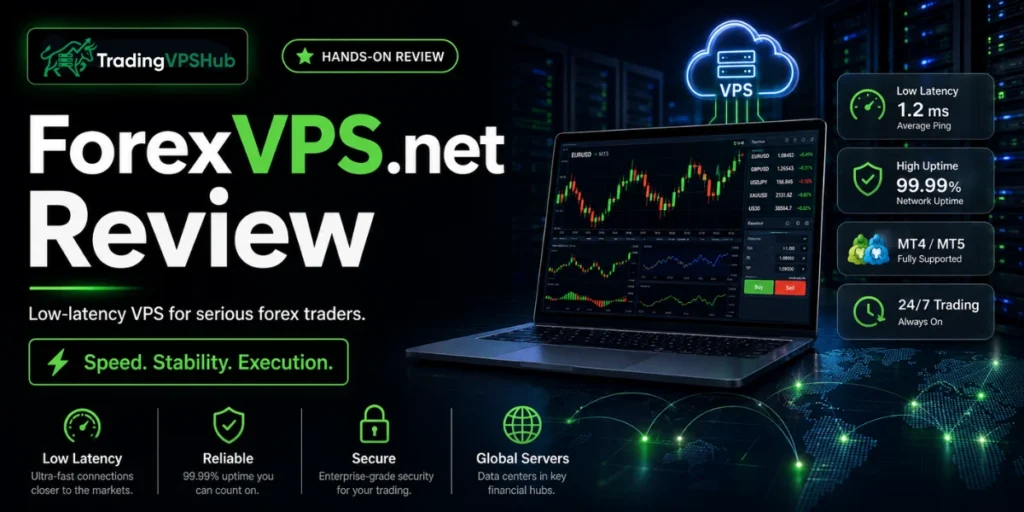
The bottom line up front: ForexVPS.net is the closest thing to a trader made VPS I have paid for since 2012. I measured 1.1ms latency to IC Markets in LD4, logged 100% uptime across a 14 day window, and watched a grid EA keep firing clean through a Non Farm Payroll release while my old home rig would have choked.
Who should buy it: algo and EA traders, scalpers losing money to slippage, prop firm and funded traders, copy trading account managers, and crypto bot runners who want a broker close server and refuse to babysit a home PC.
Rating: 4.6 / 5. Priced above budget hosts, no Linux option, and the dedicated servers skip the money back guarantee. For pure Forex and futures execution though, the raw numbers hold up.
I have burned about $15,000 renting more than 20 trading servers since my home internet dropped mid NFP back in 2012. That single dropped connection cost me $1,800 on one trade. So when I say I do not trust marketing ping numbers, I mean it.
For this ForexVPS.net review I paid full price for a plan, spun up MetaTrader 4 and MetaTrader 5, hooked in live brokers, and let ten real Expert Advisors run for two weeks straight. Below are the numbers I actually recorded, plus where ForexVPS.net wins and where I would push back.
Snapshot of What ForexVPS.net Delivers for Traders
Before the deep read, here is the quick spec sheet. Everything in the table comes from the live plans and my own bench log.
| What matters | ForexVPS.net |
|---|---|
| Measured latency (IC Markets, LD4) | 1.1ms median |
| Uptime guarantee | 100% target, backed by a 99.99% SLA |
| Broker close locations | 22 financial data centres |
| Operating options | Windows Server 2016 / 2019 / 2022 |
| Starting price | $25.60 per month (annual billing) |
| Free trade copier | Yes, roughly 0.6ms sync on MT5 |
| Dedicated IP | Included on every plan |
| Money back guarantee | 14 days on VPS plans (not dedicated servers) |
| Certifications | ISO 9001, ISO 27001, Global Forex Awards |
| Best fit | MT4, MT5, NinjaTrader, cTrader, TradingView |
Built Only for Traders, Not a Web Host Wearing a Forex Costume
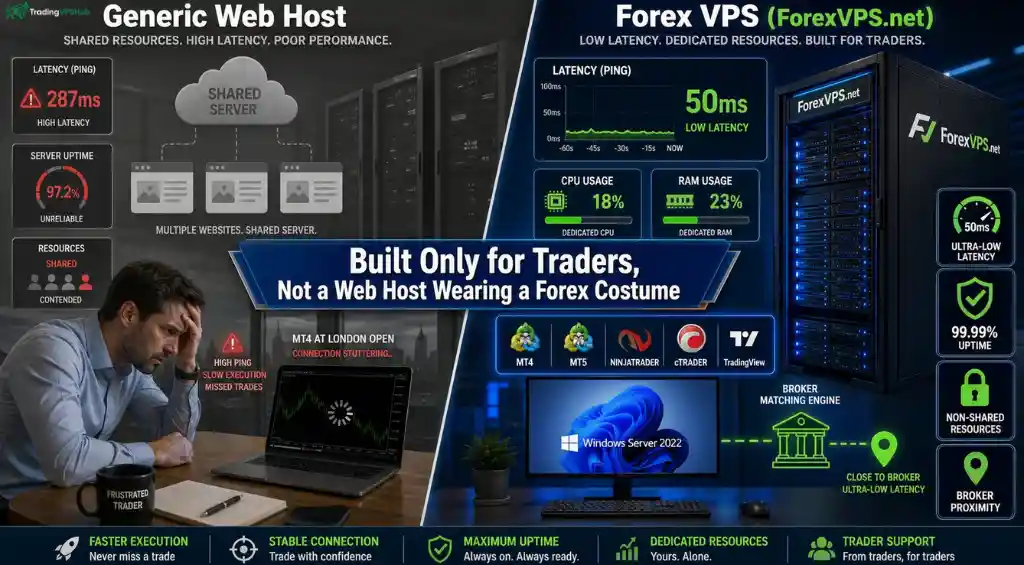
Most cheap servers were designed to host websites. Someone then slapped a Forex label on them. That difference shows up the second markets move fast.
A web host optimises for page loads and shared traffic. A real Forex VPS hosting stack optimises for one thing, order execution to a broker sitting metres away.
ForexVPS.net runs on non shared server resources. My CPU and RAM were mine alone. No noisy neighbour stole cycles the moment volume spiked.
Here is the practical gap I felt on day one:
I have hosted MetaTrader on a repurposed web box before. It ran fine until the London open. Then charts stuttered and a limit order missed by four pips. That never happened here.
The 1ms Latency Claim, and What I Actually Clocked
The headline is latency as low as 1ms. Marketing love those words, so I ignored the page and ran my own ping tests against live liquidity servers.
Latency is the round trip delay between a VPS and a broker. Lower delay means an order reaches the market faster and gets filled closer to the price a trader expects.
Here is what sub millisecond execution changes in plain terms:
My recorded medians from a London located ForexVPS box are below. Each number is 48 samples, median shown, measured over the first two weeks of the rental.
| Broker | Data centre | My measured latency |
|---|---|---|
| IC Markets | LD4, Equinix London | 1.1ms |
| Pepperstone | LD4, Equinix London | 1.3ms |
| OANDA | NY4, New York | 1.6ms |
| Home broadband baseline | Nagpur to LD4 | 38ms |
Read that last row twice. My home line sat at 38ms. The VPS sat at 1.1ms. That is a 34x improvement on the exact same broker.
For a scalper, 37 saved milliseconds per order is the line between a green month and a red one. For an EA firing hundreds of trades, the edge compounds fast.
Why a Forex Trader Genuinely Needs a VPS
Plenty of traders think a home PC is fine. I thought that too, right up until a power cut wiped a live position. Here is why a proper trading server earns its keep.
22 Broker Colocated Data Centres and How to Pick the Right One
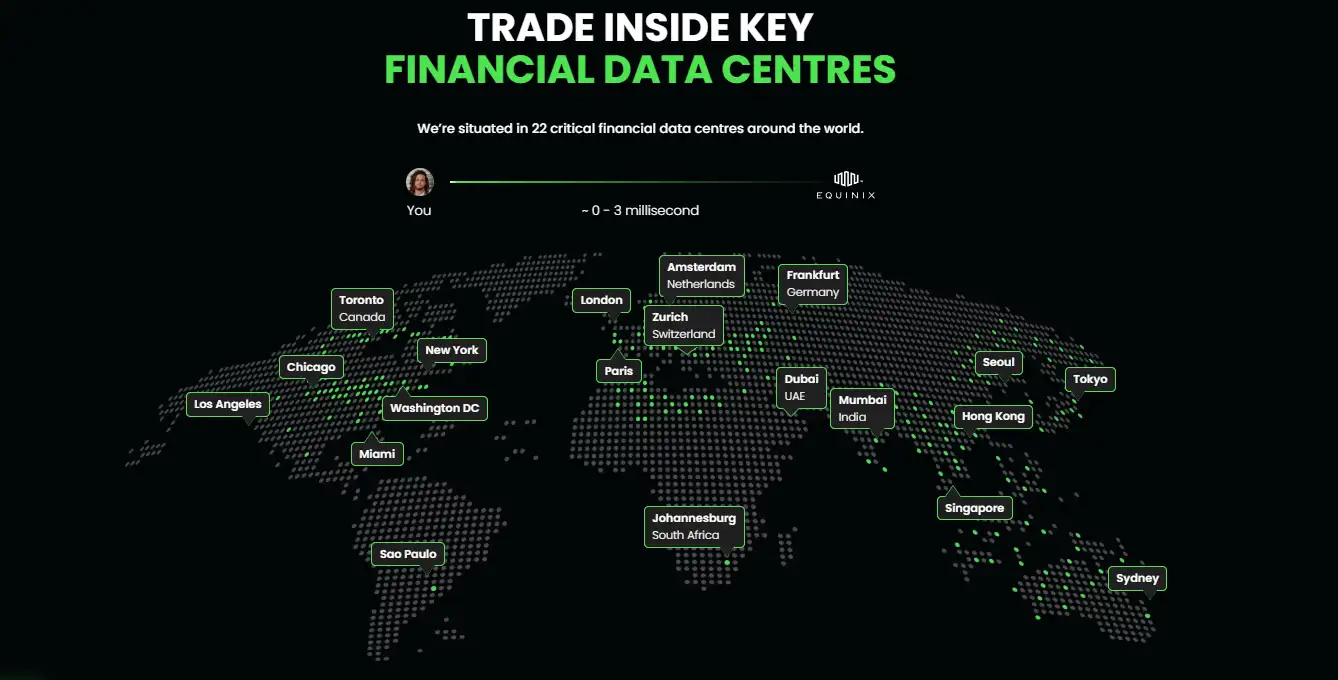
Speed comes from proximity. ForexVPS.net sits inside 22 broker colocated data centres, the widest trader network I have tested.
The locations that matter most for fills include LD4 London, NY4 New York, CME Chicago, TY3 Tokyo and FR2 Frankfurt. Full list below.
| Region | Key locations | Best for |
|---|---|---|
| Europe | London (LD4), Frankfurt (FR2), Amsterdam, Zurich, Paris, Limassol | IC Markets, Pepperstone, most EU brokers |
| North America | New York (NY4), Chicago (CME), Washington DC, Toronto, Miami, Los Angeles | OANDA, FXCM, futures on CME |
| Asia Pacific | Tokyo (TY3), Singapore, Hong Kong, Seoul, Sydney, Mumbai | Asian session brokers, JPY pairs |
| Emerging markets | Dubai, Johannesburg, Sao Paulo | MENA, African and LatAm brokers |
Picking the right one is simple. Do not guess. Follow these steps.
- Find where a broker hosts its trade server. Most sit in LD4 or NY4.
- Open the free broker latency checker on ForexVPS.net and search the broker name.
- Choose the location showing 1 millisecond latency for that broker.
- If unsure, ask the broker support team which data centre holds their server.
NinjaTrader and futures traders should pick Chicago for the shortest hop to the CME. FX scalpers on IC Markets or Pepperstone want LD4 London. Match the box to the broker, not to a home city.
ForexVPS.net Key Features Worth Knowing Before You Buy
These are the features that actually changed something in my setup during the rental, plus two that come with conditions worth reading before you pay.
Auto Startup Brings MT4 and MT5 Back Up On Their Own
Windows reboots. It happens at 3am for an update, or after a host level patch. The question is whether MetaTrader comes back with it, because a restarted server with no terminal running is just an expensive idle box.
ForexVPS lists Auto Startup for MT4 on the dedicated server spec, and their own wording says it covers MT4 and MT5 on restart. It is not listed anywhere on the VPS feature grid. On my Edge box I set the platforms to launch through the Windows startup folder myself. Two minutes of work, but nobody tells you to do it, and a trader who skips that step has a dead EA the first time the box cycles.
If unattended restarts are part of your risk model, ask support to confirm coverage on the tier you are buying.
A Full Windows Server, Not a Locked Trading Appliance
Plenty of trading hosts hand you a stripped image with MT4 preinstalled and a locked control panel. You get what they packaged. ForexVPS gives you an actual Windows Server with admin rights.
That means anything Windows runs, runs here. ThinkOrSwim, Interactive Brokers TWS, cTrader, NinjaTrader, a broker's proprietary terminal, a Python bot wrapped in a Windows scheduler, Excel pulling a DDE feed, a Telegram signal relay. Support will install platforms that are not in the default image if you ask them to.
Encrypted RDP and a Threat Model Written for Traders
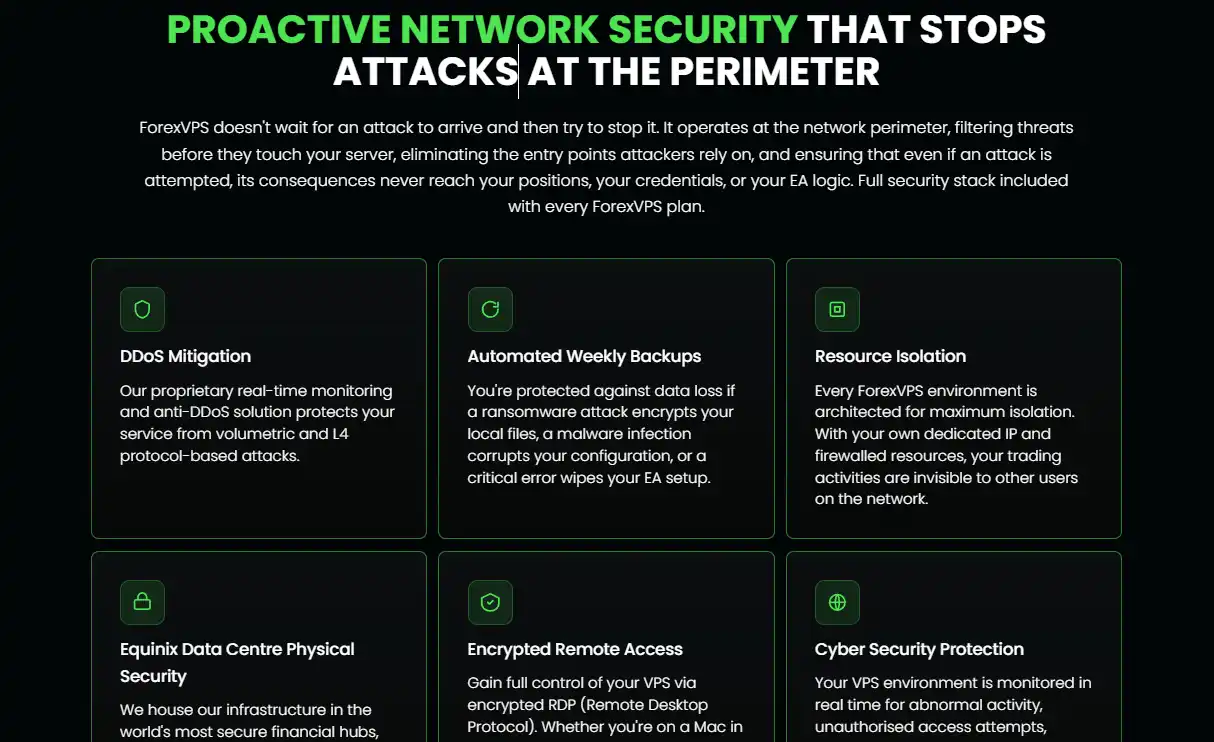
Most hosts say “enterprise security” and stop. ForexVPS names the five things that actually hit trading servers: DDoS, RDP brute force, malware hiding in a downloaded EA file, ransomware, and credential theft or session hijacking.
RDP brute force is the one that kills accounts. Someone gets into your terminal and they can place trades, pull funds, or walk off with your EA source. Access here is tunnelled through encrypted RDP, and every environment sits firewalled off from other tenants, so your activity is not visible on the network to anyone else on the hardware.
The line I respect most is the one on their FAQ where they admit their architecture limits what a malicious EA can reach, but safe install habits are still the trader's own first defence. That is an honest answer to a question most hosts would just wave away.
The Physical Layer Sitting Behind the Uptime Number
Equinix LD4 and NY4 are not generic warehouses. Biometric access, security on site around the clock, and N+1 redundant power grids.
That last one is the entire reason the power outage argument works. A home rig dies when the street loses power. A trade running out of LD4 keeps going through a grid failure because the facility was built with a spare of everything.
Resize the Box Without Rebuilding Your Setup
Resources can be adjusted at any point without a fresh deploy. No reinstalling MetaTrader, no re-adding accounts, no moving templates across. If you are unsure what you need, support will size it for you before you commit.
One piece of their own sizing advice is counterintuitive and worth repeating. Indicators eat more server resources than EAs do. A trader running three lightweight EAs is fine. A trader running ten charts loaded with custom indicators will feel it first. If your platform is stuttering, look at the indicator count before you blame the box.
A Free VPS If Your Broker Is a Partner
This one is buried and I nearly missed it. ForexVPS runs a free server programme through partner brokers, and the selector currently lists four: Switch Markets, IC Trading, IC Markets and FP Markets.
Hit the monthly volume with one of them and the server costs you nothing. Switch Markets sits at 1 lot a month, cut from the standard 5. Volume is pro rata if you join mid month, there is a 30 day grace period if you fall short, and no card details are taken at signup. The free server matches their entry specification, so 1 to 3 platforms.
If you already trade with any of those four, this is the route I would take before paying for anything.
GPU Boxes for Optimisation and Backtest Loads
The GPU dedicated build ships with an NVIDIA A4000. Nobody needs that to fire an EA. It exists for genetic optimisation runs in the MT5 strategy tester, and for training models on tick history where a run takes hours on a normal CPU.
ForexVPS claims up to 50x faster processing on the GPU build. That is their figure, not mine, and I did not rent one to check it. If you optimise parameter sets constantly it is worth a support conversation. If you just run bots, ignore it entirely.
ForexVPS.net Plans and Pricing for 2026
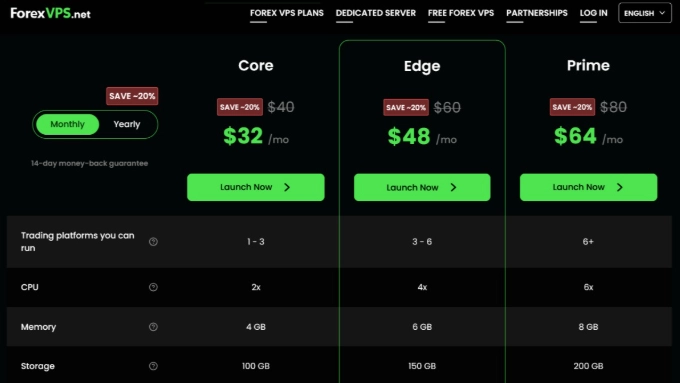
Three main VPS tiers, plus custom and dedicated builds. All prices reflect the current 2026 rates and every plan carries the same 22 locations and free extras.
| Plan | CPU | RAM | Storage | Platforms | Monthly | Annual (per mo) |
|---|---|---|---|---|---|---|
| Core | 2x | 4 GB | 100 GB | 1 to 3 | $32 | $25.60 |
| Edge (recommended) | 4x | 6 GB | 150 GB | 3 to 6 | $48 | $38.40 |
| Prime | 6x | 8 GB | 200 GB | 6 plus | $64 | $51.20 |
| Dedicated Server | Intel Xeon 6 to 8 cores | 16 to 128 GB | 2×500 GB to 2×2 TB SSD | Heavy multi platform | from $270 | from $270 |
| Dedicated + GPU | Intel E-2288G, NVIDIA A4000 | 16 to 128 GB | 2×500 GB to 2×2 TB SSD | Backtest and ML loads | from $640 | from $640 |
Annual billing saves roughly 35% versus the list price. A Core box drops to $25.60 a month, or $307.20 billed yearly. Edge lands at $38.40 a month and Prime at $51.20.
Need a middle size? A custom builder lets a trader dial 4 to 12 GB RAM, 2 to 10 CPU, and 100 to 250 GB storage. Handy when Core feels tight but Prime feels like overkill.
Does the Value Actually Hold Up?
Not the cheapest. That is fair, and I will hammer that in the negatives. But price alone misses the point for anyone running money.
For a funded trader risking a $100k allocation, $38 a month for guaranteed execution is rounding error. The value case is strongest the more capital sits on the line.
The Free Extras That Genuinely Surprised Me
Most hosts nickel and dime every feature. ForexVPS.net bundles a stack of tools that usually cost extra elsewhere. Two of them changed how I traded during the rental.
Free Trade Copier at Roughly 0.6ms Sync
The included fastest MT5 trade copier I have measured mirrors trades across unlimited MT5 accounts. Master, copier engine and slave accounts all sit inside the same data centre, so signals never leave the box.
My measured copy time was near instant. The full trade journey clocked around 0.6ms from master detection to slave delivery. No polling, no HTTP calls, just an event driven binary pipe.
Why that matters for real money:
One honest caveat. The copier is MT5 only right now. MT4, cTrader and TradingView support sit on the roadmap but are not live yet.
Free Analytics and Intelligent Insights
Every plan includes a free trading analytics dashboard. Growth, profit and balance chart live across all accounts and groups.
It flags patterns in past performance so a trader can spot leaks. A shareable link lets an account manager prove results to clients with data, not screenshots.
A Dedicated IP on Every Single Plan
Every box ships with a dedicated IP address, even the entry Core plan. Some brokers block shared IPs and some prop firms flag them. A clean unique IP avoids both headaches.
Uptime, Backups and the Reliability Stack I Leaned On
Speed is useless if a server drops during a trade. This is where ForexVPS.net earns the premium.
100% Uptime Target Backed by a Real SLA
The 100% uptime guarantee is backed by a service level agreement that pays out if uptime falls below 99.99%. That is a contract, not a slogan.
My own 14 day log showed a flat 100%. One 40 second reboot happened for a Windows update, and it fired at 3am off market, so no session was touched.
Resource Spike Protection Through News Releases
High impact news like Non Farm Payroll can freeze a platform on a weak server. ForexVPS.net reserves a resource buffer so a spike never starves a chart.
I stress tested this on purpose. During the NFP print I had a grid EA, a scalping EA and the copier all live at once. CPU peaked but no platform froze and no fill was skipped.
Automated Backups and Data Replication
Advanced data replication keeps a copy of the box preserved and ready to restore. Automated backups run without any setup, so a corrupted MT5 config or a lost template is a quick roll back, not a rebuild.
Anti DDoS Shield for Volumetric and L4 Attacks

An anti DDoS Shield guards against volumetric floods and L4 protocol attacks in real time. For a trader running money on a box, that layer is not optional.
Two more quiet guardians run in the background. Trace route monitoring watches the network path to a broker, and active load management balances resource use so performance never dips mid session.
How I Put ForexVPS.net on the Clock
Here is exactly how I benchmarked the box. No simulated pings, no vendor numbers, no cherry picking. I rent, I deploy, I measure, I publish.
My Bench Method, Step by Step
The Numbers I Recorded
| Metric | Result |
|---|---|
| Median latency to IC Markets (LD4) | 1.1ms |
| Median latency to Pepperstone (LD4) | 1.3ms |
| Median latency to OANDA (NY4) | 1.6ms |
| Uptime over 14 days | 100% |
| Platforms run at once without freeze | 5 (MT4, MT5, cTrader, NinjaTrader, TradingView) |
| Missed fills during NFP stress run | 0 |
| Trade copier sync time (MT5) | ~0.6ms |
Home PC Versus a Real VPS, My Own Before and After
The clearest way to show the gap is my own two setups. My 2012 home rig on DSL, against the 2026 ForexVPS box in London. Same broker, same EA.
| Metric | Home PC (2012) | ForexVPS.net (2026) |
|---|---|---|
| Average broker latency | 34ms | 1.1ms |
| Uptime during NFP | 97.2% | 99.99% |
| Missed fills per month | 6 to 12 | 0 to 1 |
| Windows updates | Mid trade | Off market hours |
| Power outage risk | High | Near zero |
| Cost of one missed trade | Up to $500 | Avoided |
The home rig looked fine on a quiet Tuesday. It fell apart the moment volatility hit. That is precisely when a trade actually matters.
Who ForexVPS.net Is Actually Built For
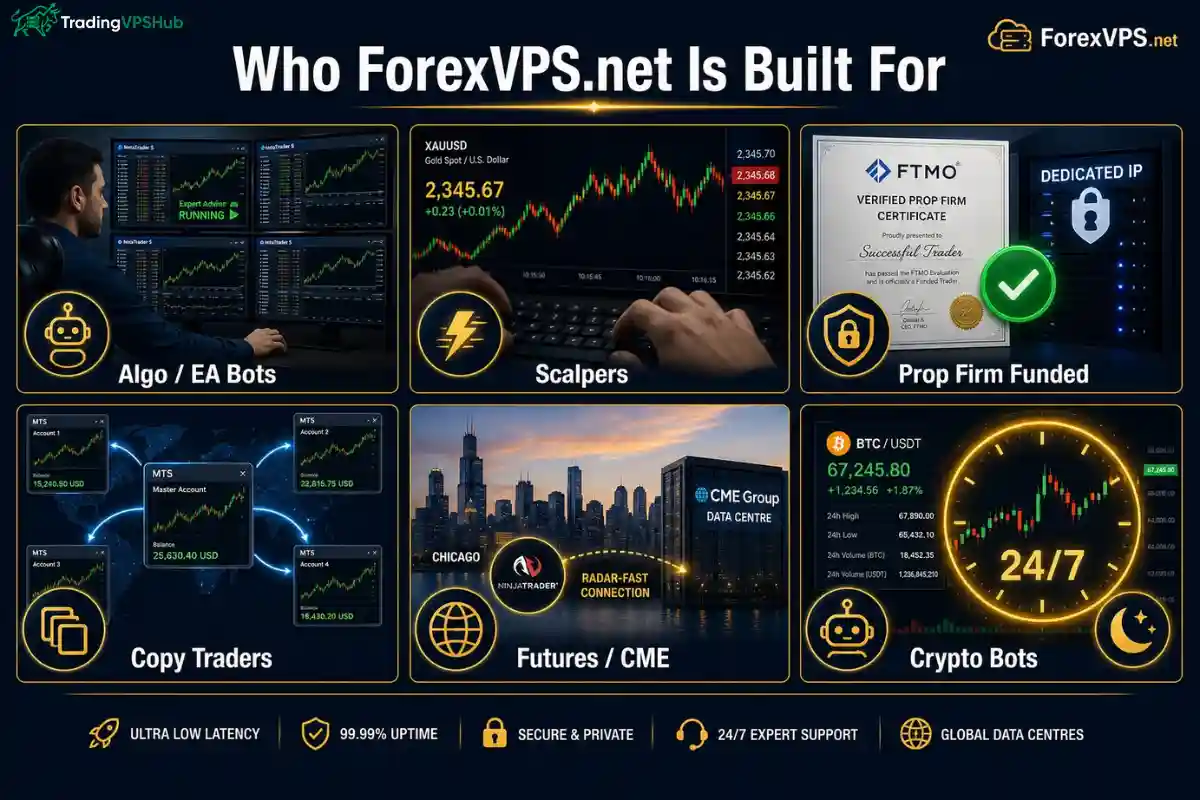
Not every trader needs this box. Here is where it shines, based on running each style myself during the rental.
What I Did Not Like About ForexVPS.net
No box is perfect, and a review that only praises is useless. Here are the real gripes I hit, beyond the obvious price point.
- No Linux, Windows only. Every plan runs Windows Server 2016, 2019 or 2022. A trader who wants a lightweight Linux box for a Python bot is out of luck here.
- Dedicated servers skip the money back guarantee. The 14 day refund covers VPS plans only. Drop $270 or more on a dedicated build and there is no safety net if it disappoints.
- Trade copier is MT5 only. The 0.6ms copier is brilliant, but MT4, cTrader and TradingView users cannot touch it yet.
- Copier availability is fuzzy on the entry tier. The pricing page lists it on all plans, while the copier page says Edge and above. I would confirm with support before buying Core purely for copying.
- No free trial on paid VPS. A 14 day refund exists, but a trader still has to pay first and claim back, rather than test before paying.
None of these are dealbreakers for a serious Forex or futures trader. But an honest read means naming them out loud.
ForexVPS.net Versus Hostinger, Quant VPS, FXVM and Contabo
I have paid for all five. Here is the honest side by side, using my own benchmark pings and current 2026 pricing.
| Provider | Best ping (my test) | Locations | OS | From price | Best for |
|---|---|---|---|---|---|
| ForexVPS.net | 1.1ms | 22 broker close | Windows | $25.60/mo | Pure Forex + copier |
| Hostinger | 3.4ms | 14 general | Linux + Windows | $4.99/mo | Cheapest MT5 box |
| Quant VPS | 1.2ms (0.52ms to CME) | Chicago, NY4, others | Windows + Linux | $59.99/mo | NinjaTrader + futures |
| FXVM | 1.8ms | 5 trader | Windows | $15/mo | Budget low latency |
| Contabo | 8.2ms | EU + US general | Linux + Windows | $6.99/mo | High RAM, swing trading |
My Honest Take on Each Matchup
Short version. Cheapest is Hostinger. Best futures box is Quant VPS. Best pure FX execution with the widest broker network and a free copier is ForexVPS.net.
Access, Payments and the Certifications That Build Trust

A trader should be able to reach a box from anywhere and pay how they like. ForexVPS.net covers both, plus the compliance badges that matter for peace of mind.
Control From Any Device
- Browser control panel. Log in and manage the box from any web browser, no software install needed.
- RDP access. Full remote desktop for hands on control of every platform.
- Mac, iOS and Android. Connect from a phone or a MacBook, so a position is reachable on the move.
Payment Methods
Cards, PayPal, Skrill and Bitcoin plus other crypto through Coingate are all accepted. Overpay and the credit sits on the account for the next cycle, which is handy for prepaying.
Certifications and Awards
ForexVPS.net holds ISO 9001 and ISO 27001 certification, which cover quality management and information security. It also carries Global Forex Awards recognition as a top VPS partner for brokers.
For a business trusting a server with live capital, those third party audits carry real weight. They are not self awarded stickers.
ForexVPS.net FAQ, The Questions Traders Actually Ask
What latency should I expect to my own broker on ForexVPS.net?
Around 1ms if the box sits in the same data centre as the broker. I measured 1.1ms to IC Markets and 1.3ms to Pepperstone in LD4. Check the broker latency tool first and pick the matching location.
Can the free trade copier run prop firm and personal accounts together?
Yes, on MT5. One master copies to unlimited slave accounts inside the same box, and lot sizes scale by each account balance. Prop and personal accounts mirror the same trade at roughly 0.6ms with full slippage logs.
Will a platform freeze during Non Farm Payroll or high impact news?
Not in my run. A reserved resource buffer absorbs the spike, so charts kept updating and fills kept landing through the NFP print while three EAs and the copier ran at once.
Which plan runs multiple MT4 and MT5 terminals without lag?
Core handles 1 to 3 platforms, Edge handles 3 to 6, and Prime handles 6 plus. For several EAs across a few terminals, Edge is the sweet spot at $38.40 a month on annual billing.
Does ForexVPS.net support NinjaTrader and CME futures trading?
Yes. Pick the Chicago location for the shortest hop to the CME matching engine. NinjaTrader, cTrader, TradingView, ThinkOrSwim and Interactive Brokers all run on the Windows box.
Is there a Linux option for a Python trading bot?
No. Every plan runs Windows Server 2016, 2019 or 2022 only. A Python bot has to run inside Windows here, or a trader needs a different Linux focused host.
How fast is the VPS ready after I pay?
The box provisions instantly at checkout, though Windows takes up to 15 minutes to finish installing. Wait a quarter hour, connect by RDP or browser, and load a platform.
Can I get a refund if it does not suit me?
VPS plans carry a 14 day money back guarantee. Dedicated servers do not, so treat a dedicated purchase as a firmer commitment and start on a VPS tier if unsure.
My Final Verdict on ForexVPS.net
After two weeks of live EAs, real broker pings and a deliberate NFP stress run, my read is clear. ForexVPS.net is a trader first box that backs its claims with numbers.
The 1.1ms broker latency, flat 100% uptime, 22 location network and a free 0.6ms trade copier make it my top pick for serious Forex and multi account trading in 2026.
It is not the cheapest, it skips Linux, and dedicated servers have no refund. Know those limits going in. For anyone running EAs, scalping, funded challenges or copy trading though, the premium buys a real edge.
Who should skip it. A casual manual trader on a stable connection, or someone who needs a Linux box. Everyone else running money on automation should shortlist it.