

Pressed for time? Here's the straight answer: The best VPS for NinjaTrader in 2026 sits inside a Chicago data centre near CME Aurora, powers itself on a high-clock AMD Ryzen 9 9950X, and delivers sub-millisecond latency to CME. Nail that combination and your fills stay clean. Miss it, and every tick of slippage quietly chews through your edge.
We've watched it happen more times than we'd like. One missed fill during a news spike can swallow a whole week of profit. A home PC on residential broadband cannot keep pace with a low-latency NinjaTrader VPS parked metres from the matching engine.
So we did the boring bit for you. Over the years at TradingVPSHub, across 20+ servers and thousands of live pings, we've tested, benchmarked and stress-checked the machines that actually hold up under pressure.
Below are six providers worth your money for automated futures trading strategies, plus the exact reasons each one earns its spot. No recycled marketing, just what we measured.
Your Home PC Is the Weakest Link in Your Fill Quality
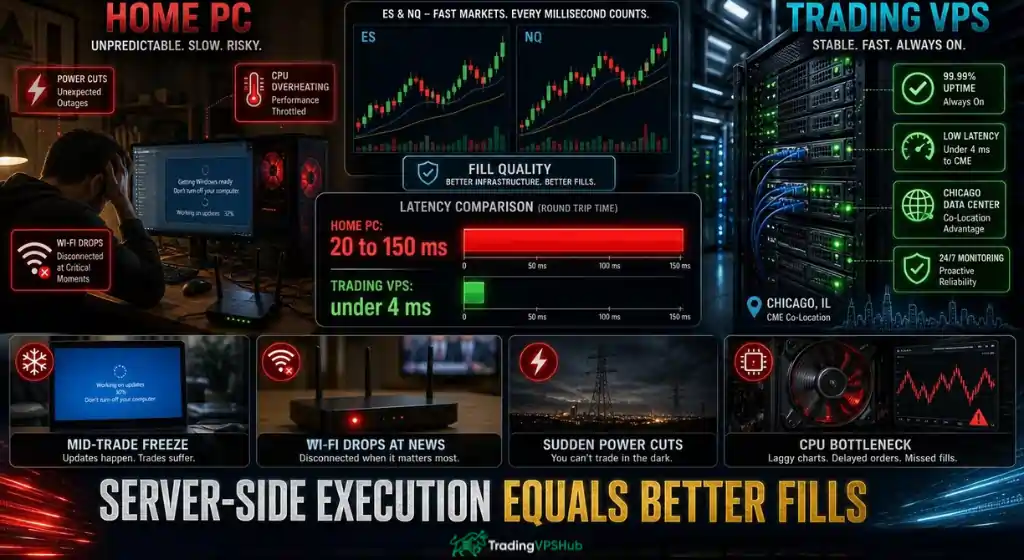
Here's the uncomfortable truth. Most blown NinjaTrader setups don't fail because of a bad strategy. They fail because of a bad execution environment.
Round-trip latency from a home connection to CME Globex usually lands between 20ms and 150ms. A server beside the exchange cuts that to single digits, sometimes below one. That gap decides fill quality on fast movers like ES, NQ, CL and GC.
Latency is only half the story, though. Consider what a residential machine throws at you mid-session:
When we swapped our own desk off a home rig and onto a Chicago-based trading VPS, broker latency fell from roughly 34ms to under 4ms. Missed fills per month dropped from double figures to near zero. That's not a marketing line. That's what showed up in our journal.
Speed Lives in Three Places: Location, Cores and Memory
Before we name providers, let's clear up what makes a NinjaTrader VPS fast. Ignore the flashy homepage numbers. Three things move the needle, and the rest is noise.
First, proximity to the CME matching engine. NinjaTrader traders live and die on CME futures, and those contracts match in Aurora, Illinois. A server hosted in that Chicago corridor shaves the physical distance your order travels. Host in New York or London instead, and you hand back ticks you'll never recover.
Second, single-core clock speed. This one trips up beginners constantly. NinjaTrader calculates each instrument on a single thread, so a chip with fewer but faster cores beats a bloated multi-core server every time.
That's why the AMD Ryzen 9 9950X, boosting up to 5.7GHz, has become the gold standard for chart rendering and NinjaScript strategy execution.
Third, memory and storage. Multi-chart layouts, tick replay and deep backtests eat RAM. A quick rule from our own testing:
Get those three right and the rest sorts itself out. Get them wrong and no coupon code saves you.
How We Put Each NinjaTrader VPS Through Its Paces
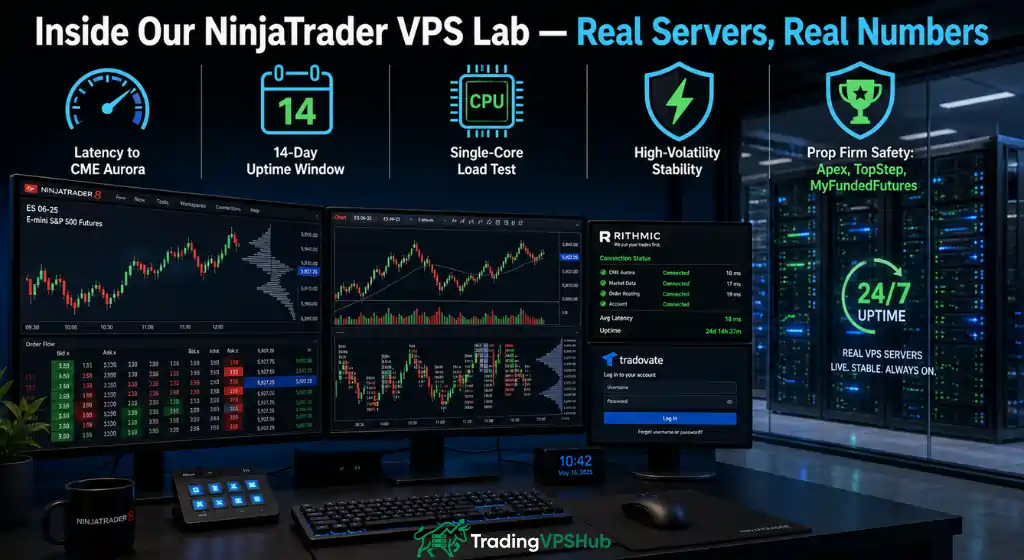
Now the part most review sites skip. We rank on what we measured, not on affiliate payouts.
Every provider here went through the same routine we've refined at TradingVPSHub. We rent the server, install NinjaTrader 8 fresh, hook it to live feeds and log the numbers.
We paid special attention to prop firm evaluation rules. If you trade Apex, TopStep or MyFundedFutures, a single disconnect can breach your account.
So we weighted consistency and 24/7 uptime heavily, alongside how cleanly each host handles Rithmic and Tradovate connections. That focus shaped every score you'll see below.
NinjaTrader VPS Comparison at a Glance
Quick side-by-side before we go deep. Latency figures reflect each provider's stated performance to CME infrastructure.
| NinjaTrader Provider | Latency to CME | Core Location | Headline Hardware | NT8 Ready |
|---|---|---|---|---|
| Hostinger | General routing | 8+ global regions | KVM, NVMe SSD | Manual setup |
| ForexVPS.net | As low as 1ms | 22 data centres | Windows Server, dedicated IP | Supported |
| QuantVPS | Sub-0.52ms | Chicago + 6 more | Ryzen 9950X / EPYC, DDR5 | Pre-optimised |
| TradoxVPS | 0.82ms verified | Chicago + Dublin | Ryzen 9 9950X, DDR5 | Pre-installed |
| TradingVPS | Sub-1ms | Chicago, NY, London | Ryzen 9 9950X, NVMe Gen4 | Pre-installed |
| ChartVPS | 0-2ms | Multi-region + GPU | Ryzen 9000/7000, Gen4 NVMe | Supported |
1. Hostinger: The Budget Gateway Into Windows Hosting

TradingVPSHub Score
Verdict: A solid first server for manual chart work, but you'll build the trading layer yourself.
Let's start with the affordable on-ramp. Hostinger isn't a futures-only host, and it doesn't pretend to be. What it gives you is clean KVM virtualisation with NVMe SSD storage and full root access, which means you control the Windows layer top to bottom.
For a NinjaTrader trader, that flexibility cuts both ways. You get a fast, tidy machine at an approachable entry point. You also install and tune NinjaTrader yourself, since nothing comes pre-configured for CME feeds.
Where it fits the NinjaTrader crowd:
| Spec | Detail |
|---|---|
| Virtualisation | KVM, full root access |
| Storage | NVMe SSD |
| Locations | 8+ global data centres |
| CME proximity | No dedicated Chicago co-location |
The honest catch: Hostinger lacks the Chicago data centre near CME Aurora that hardcore futures scalpers need for the lowest fills. Treat it as a dependable, low-cost base for manual NinjaTrader analysis and lighter automation. Tip from our desk, the AFFMAVEN10 coupon code stacks nicely on longer terms.
2. ForexVPS.net: The Multi-Platform Veteran With Global Reach

TradingVPSHub Score
Verdict: A battle-tested all-rounder if you juggle NinjaTrader alongside MT4, MT5 and other platforms.
Next up, the old hand. ForexVPS.net has operated since 2013 under ThinkHuge Ltd, and it shows in the polish. This is infrastructure built for traders who spread bets across several platforms rather than futures alone.
NinjaTrader sits happily here beside MT4, MT5, cTrader, ThinkOrSwim and Interactive Brokers. What sets it apart for our purposes is the sheer breadth of the network. With 22 data centres, including Chicago, you can place your NinjaTrader VPS near almost any broker gateway on the planet.
Features that matter for futures work:
| Spec | Detail |
|---|---|
| Locations | 22 global data centres |
| Latency | As low as 1ms |
| OS | Windows Server 2022 / 2019 / 2016 |
| Extras | Free trade copier, dedicated IP |
The trade-off is focus. ForexVPS.net optimises for broad compatibility rather than the single-minded, sub-half-millisecond chase pure futures specialists advertise. For a trader who wants one reliable home for a mixed toolkit, it's hard to fault.
3. QuantVPS: The Futures Specialist Prop Traders Swear By
TradingVPSHub Score
Verdict: The sharpest tool for CME futures and prop firm evaluations we've tested to date.
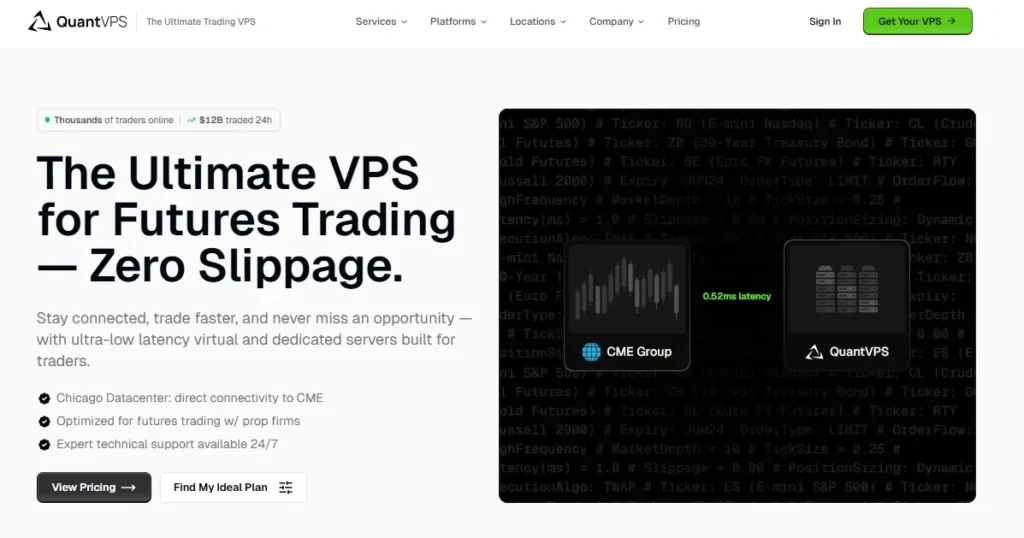
Now we hit the specialist. QuantVPS builds for one job: automated futures trading on platforms like NinjaTrader. And it does that job about as well as anyone.
The headline is sub-0.52ms latency to CME from its Chicago datacentre, achieved through direct fibre cross-connects that strip out unnecessary network hops. Pair that with a 99.999% uptime SLA and you have a machine designed to survive an evaluation without a hiccup.
Why NinjaTrader traders gravitate here:
| Spec | Detail |
|---|---|
| Latency | Sub-0.52ms to CME |
| Uptime | 99.999% SLA |
| Locations | Chicago + 6 global regions |
| Support | 24/7 US-based team |
One more detail that earns trust: QuantVPS is the exclusive VPS partner of SharkIndicators, so if you lean on BloodHound or heavy add-ons, the single-core grunt is already there. When we hammered it with a 16-chart layout plus tick replay, it never stuttered.
4. TradoxVPS: Verified Latency You Can Measure Yourself
TradingVPSHub Score
Verdict: A latency-obsessed newcomer that lets you prove the numbers before you pay a penny.
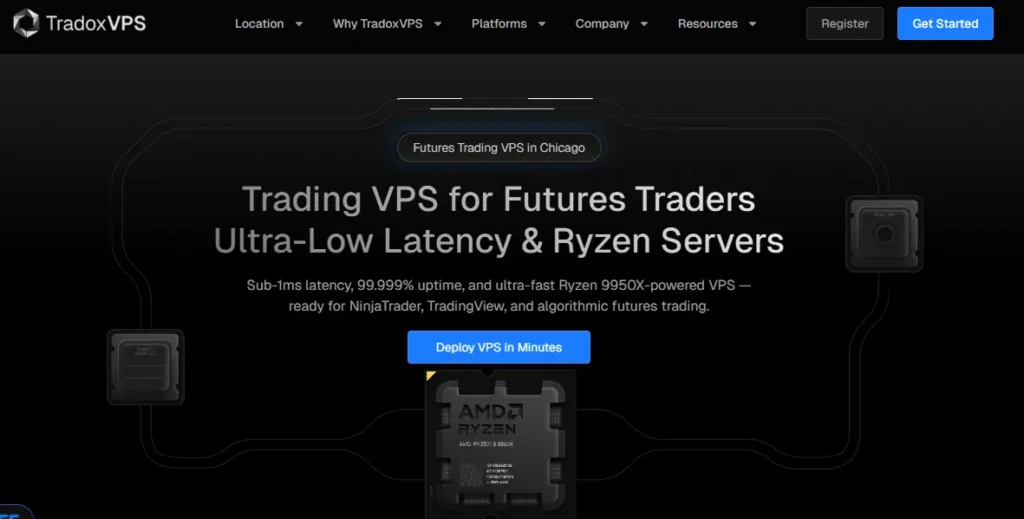
Here's a name that impressed us on transparency alone. TradoxVPS treats its NinjaTrader VPS as part of your risk stack, not a box you rent and forget. And instead of stamping an unverifiable figure on the page, it hands you a live latency checker to test the route yourself.
Under the bonnet sits an AMD Ryzen 9 9950X on the Zen 5 architecture, boosting to 5.7GHz, paired with DDR5 and NVMe. That single-core speed is exactly what chart rendering and NinjaScript calculations crave.
Standout points for futures and prop traders:
| Spec | Detail |
|---|---|
| Latency | 0.82ms verified to CME |
| CPU | AMD Ryzen 9 9950X (Zen 5) |
| OS | Windows Server 2022 or Ubuntu 22.04 / 24.04 |
| Uptime | 99.999% target, published availability |
Beyond futures, the Ubuntu option opens the door to custom Python and C++ bots for developers. For a provider engineered around latency-sensitive futures trading and honest measurement, TradoxVPS punches well above its age.
5. TradingVPS: High Clock Speed Without the Premium Sticker
TradingVPSHub Score
Verdict: Serious futures hardware at a friendly entry point, ideal for scalpers watching their overheads.
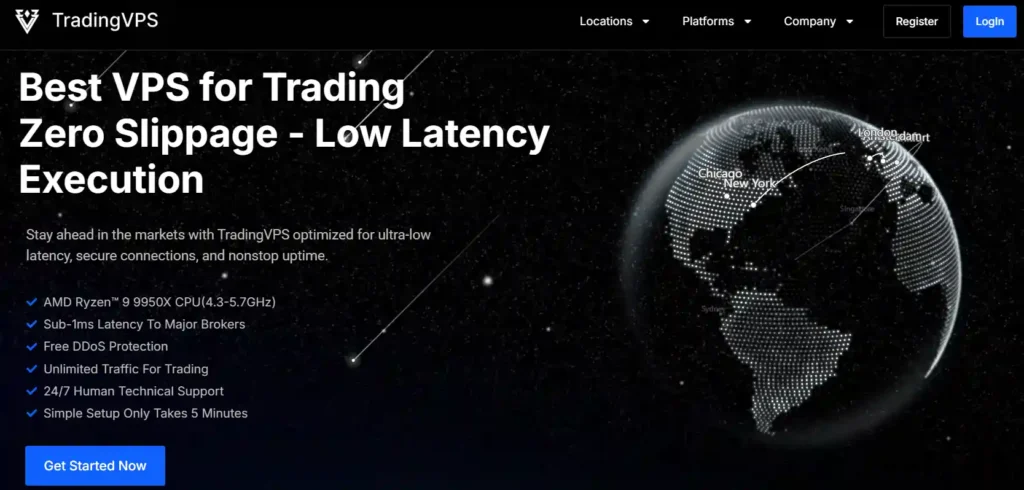
Value hunters, this one's for you. TradingVPS pitches itself as better, faster and cheaper, and the hardware backs the swagger. Its servers recently moved up to the AMD Ryzen 9 9950X, with a base of 4.3GHz and turbo to 5.7GHz, so single-thread performance is right at the top tier.
For NinjaTrader specifically, the Chicago node sits close to CME Aurora, delivering the sub-millisecond fills that scalpers of ES, NQ, CL and GC depend on. The platform arrives pre-installed, so you're live within minutes of connecting over RDP.
What stood out during our checks:
| Spec | Detail |
|---|---|
| Latency | Sub-1ms to CME Aurora |
| CPU | AMD Ryzen 9 9950X |
| Memory | DDR5 5600 MT/s |
| Trial | Short test period available |
NinjaTrader forum regulars keep flagging what we found: near-identical top-end silicon for a fraction of the cost elsewhere. For fast single-core execution without stretching the budget, TradingVPS makes a strong case.
6. ChartVPS: GPU Muscle for Order Flow and Heavy Charts

TradingVPSHub Score
Verdict: The pick for indicator-heavy, order-flow traders who push a platform to its limits.
Finally, the heavyweight for visual traders. ChartVPS markets itself in the top 1% of the world's fastest servers, and its edge is unusual: optional GPU-accelerated hosting for platforms that lean hard on rendering.
If your NinjaTrader layout drips with order-flow tools, DOM ladders and Bookmap-style heatmaps, the Gamma Series with NVIDIA A16 acceleration keeps everything smooth where a CPU-only box would grind, with up to 70% higher performance on those graphics-rich setups.
Why it lands with demanding NinjaTrader users:
| Spec | Detail |
|---|---|
| Latency | 0-2ms to major venues |
| Speciality | GPU acceleration (Gamma Series) |
| Storage | Gen4 NVMe SSD, dedicated |
| Extras | NEXT algo toolkit, sub-1ms copier |
ChartVPS even bundles its own monitoring software and a free algorithmic toolkit called NEXT. For hedge funds, quants and traders piling on machine-learning models, that GPU headroom is a genuine differentiator among high-frequency trading infrastructure options.
Matching a Server to Your Futures Trading Style
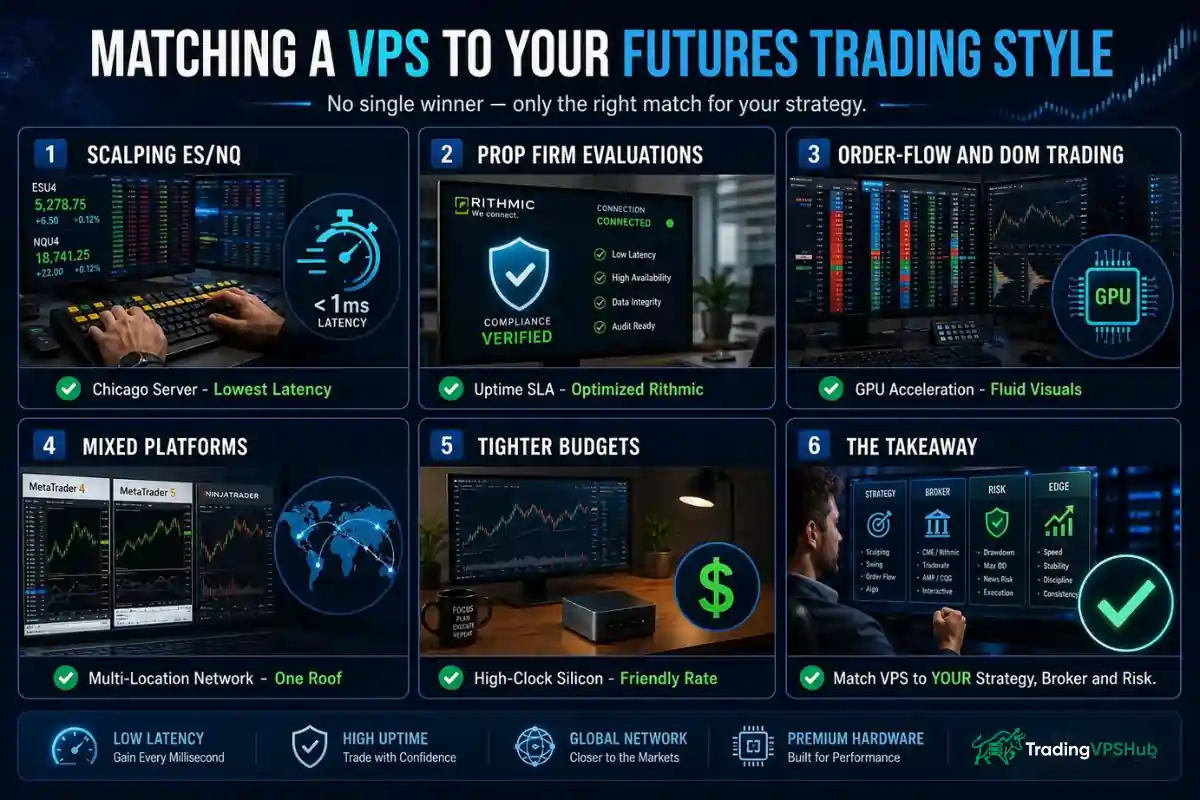
Six strong options, one obvious question: which suits your setup? Rather than crown a single winner, let's match by how you actually trade.
Notice the pattern. There's no single best VPS for NinjaTrader, only the best one for your strategy, your broker and your risk tolerance.
Getting NinjaTrader Live on Your Server
Bought your server? Good. Getting NinjaTrader online is quicker than most people fear. Here's the flow we follow every time.
Two small tweaks make a real difference to execution. Set NinjaTrader's process priority to High in Task Manager, and disable unnecessary background services to free CPU for tick processing. Providers that ship a pre-optimised image do most of this for you, which is one reason we favour them for automated futures trading strategies.
Once it's live, sign out of RDP and your platform keeps trading. No sleeping laptop, no dropped Wi-Fi. That peace of mind is the whole point.
FAQs Related to NinjaTrader VPS
Which VPS gives NinjaTrader the lowest latency to CME?
The lowest measured figures come from Chicago-based specialists sitting beside CME Aurora, with sub-0.52ms and 0.82ms verified latency leading the pack. A server in that corridor beats a New York or London host for CME futures every time.
Do I need a Chicago server for NinjaTrader?
If you scalp or automate CME futures, yes. Chicago proximity cuts slippage on fast movers like ES and NQ. For manual, longer-hold analysis, a nearby general region still works, though a Chicago data centre near CME Aurora remains the safest choice.
How much RAM does NinjaTrader 8 need on a VPS?
8GB handles a modest multi-chart layout with light automation. For multi-instrument strategies, deep tick-data backtests and third-party add-ons, 16GB with NVMe Gen4 SSD storage keeps everything stable during volatile sessions.
Can a VPS help me pass a prop firm evaluation?
It removes a major failure point. A dependable server with a high uptime SLA and pre-optimised Rithmic feeds keeps your account online through the day, so a home-internet drop never breaches your prop firm evaluation rules.
Why Traders Trust TradingVPSHub for This Call
A fair question to end on: why listen to us? Because we put skin in the game before we recommend anything.
At TradingVPSHub, every review starts with our own money. We rent each server, install NinjaTrader ourselves, and publish raw ping data rather than repackaged vendor claims.
Our benchmark journal tracks latency to CME across providers, and our open figures are there for anyone to check. That's the standard we hold ourselves to.
Across more than a decade of testing over 20 servers, one lesson keeps repeating. The low-latency NinjaTrader VPS that wins isn't the one with the loudest homepage.
It's the one that stays online during a payroll spike, fills you at the price you expected, and never makes you think about it again.