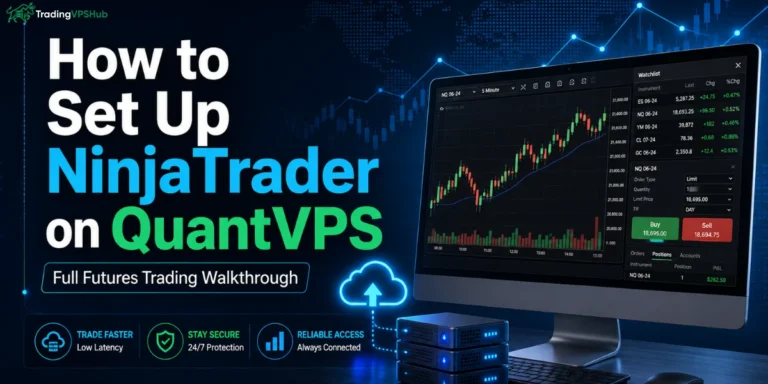

Quick Answer: A Forex VPS is a private cloud computer used to keep MetaTrader, cTrader, NinjaTrader, trade copiers, or bots active near your broker server. It helps reduce broker server latency, keeps trading software online during local power or internet cuts, and gives safer remote access from any device.
For traders, a VPS is not magic. It will not fix a weak strategy. It simply gives your trading setup a faster, steadier, cleaner place to operate.
That matters because forex is huge, liquid, and fast. BIS data shows global FX turnover reached $7.5 trillion per day in its latest published triennial dataset.
When price moves quickly, delay matters. One slow order, one frozen laptop, or one home WiFi drop can change a trade.
That is why TradingVPSHub treats VPS hosting like trade infrastructure, not a random web hosting add-on.
Why Traders Use a Forex VPS
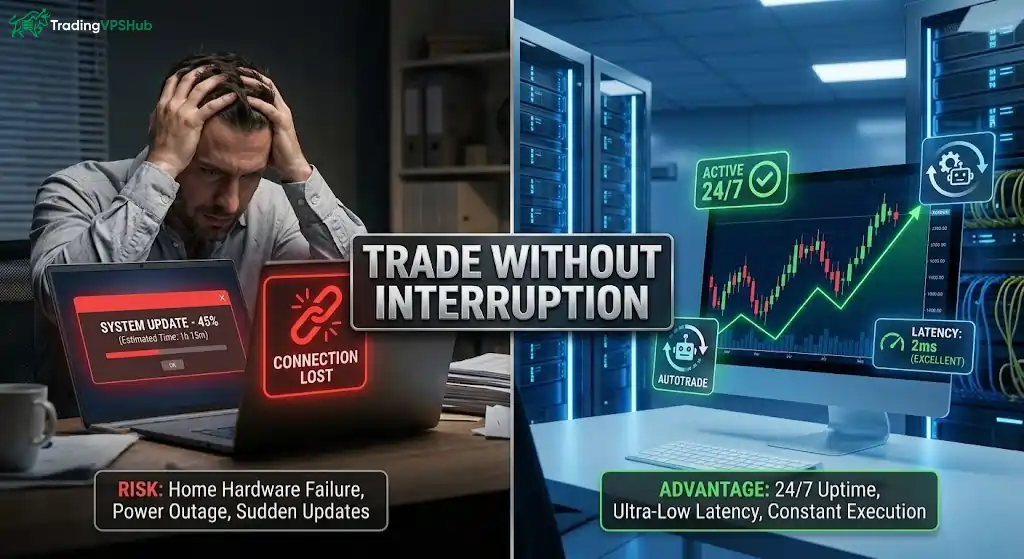
A trader uses a VPS because forex markets can move while a home device is asleep, frozen, offline, or stuck after an update. A VPS reduces that local risk by keeping trading software active on data centre hardware with steady power and internet links.
A 24/7 trading server matters most when a strategy must act without delay. EAs, stop management tools, trade copiers, and alert-based scripts need a platform that stays connected.
A VPS does not make a bad strategy good. It only gives a working strategy a cleaner place to operate.
MetaTrader says virtual hosting supports trading robots and signal subscriptions with minimum network delay to a broker server. MQL5 also says its trading VPS can reach many broker servers under 10 ms, with many under 3 ms.
For manual swing traders, a VPS may feel less urgent. For traders who use automated forex trading, scalping logic, news entries, or copy tools, lost connection can affect fills, exits, and risk control.
What Happens Inside A Trading VPS
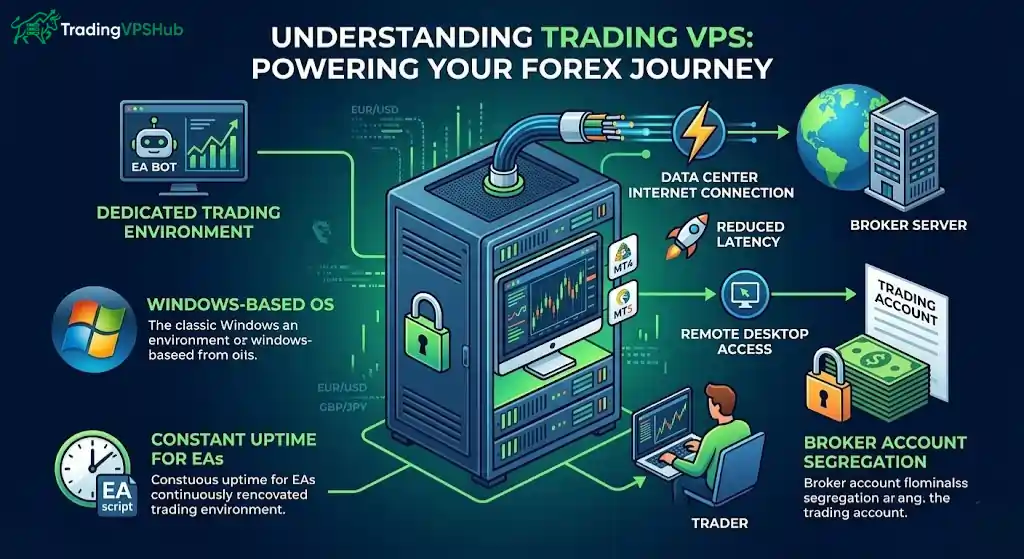
A Forex VPS works like a Windows computer you access through Remote Desktop. You log in, install MT4, MT5, cTrader, NinjaTrader, or another platform, then keep charts, EAs, and scripts active on that remote machine.
Most traders choose Windows because MetaTrader 4 and MetaTrader 5 are built for Windows use in normal retail trading workflows. Linux can work for advanced users, but Windows VPS plans are still most common for MT4 and MT5 traders.
Inside a VPS, your platform connects from the data centre internet, not your home router. That can shorten the delay when the server location sits near your broker’s trading server.
A remote desktop trading server also separates your trading workspace from your personal laptop. That helps when your local machine has browser tabs, gaming apps, design tools, or background tasks slowing it down.
Your broker account remains with your broker. A VPS does not hold funds, set spreads, or change broker rules.
It simply hosts your trading terminal and sends orders from a more stable machine.
Latency, Slippage, And Order Speed Explained
Latency means delay between your trading platform and your broker server, usually measured in milliseconds. Lower latency can help orders reach a broker faster, mainly during fast price moves, scalping, or news trades.
Slippage means the final fill price differs from the requested price. A VPS cannot remove slippage, but lower broker server latency can reduce one cause of delay between order click and broker response.
Distance matters. If your broker server sits in London LD4 and your VPS also sits near London LD4, your order path can be shorter than a home internet path from another country.
TradingVPSHub tests real providers against live broker infrastructure, including IC Markets LD4, Pepperstone, OANDA, FXCM, Forex.com, IBKR, and other trading links.
Our visible benchmark board shows examples such as 1.1 ms to IC Markets LD4 for ForexVPS.net, 1.2 ms to CME NY4 for Quant VPS, 1.8 ms to Pepperstone for FXVM, 3.4 ms to OANDA LD4 for Hostinger, and 8.2 ms to FXCM for Contabo EU.
Those numbers do not mean every trader gets identical results. VPS location, broker route, server load, platform load, and time of test can all change ping.
A good VPS choice starts with your broker server, not with a brand logo.
Forex VPS Versus Home Computer Setups
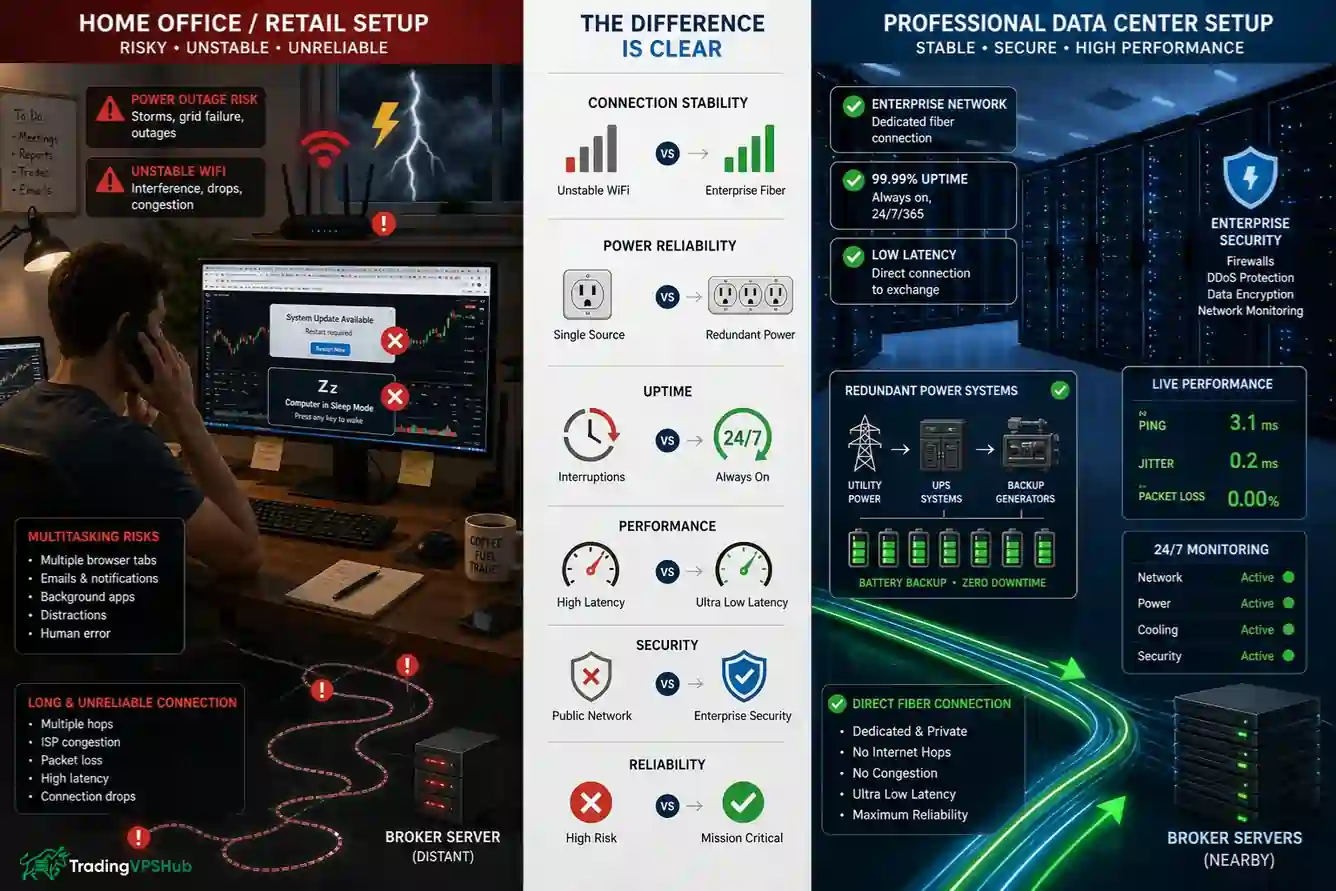
A home PC can trade well until power, WiFi, updates, heat, or user error breaks continuity. A VPS reduces those weak points by placing a platform in a data centre with more stable power and network design.
| Setup Area | Home PC | Forex VPS |
|---|---|---|
| Connection risk | Depends on home internet and router | Uses data centre network links |
| Power risk | Power cuts can stop a platform | Data centres use stronger power systems |
| Order delay | Depends on home route to broker | Can sit closer to broker servers |
| Bot use | PC must stay awake | EAs can stay active 24/7 |
| Security | Mixed with personal browsing | Can be isolated for trading only |
Our own before-and-after section shows why traders care: old home setups can suffer higher broker latency, missed fills, update issues, and outage risk, while tested VPS setups aim for lower ping and better uptime.
That fits what many forex VPS guides also state: uptime and low latency are core VPS reasons for active traders.
A VPS is not magic. If your broker has slow execution, poor liquidity, or wide spreads, a VPS cannot fix broker-side quality.
Still, a VPS can remove many problems created by your own device and network.
Best Forex VPS Specs For Traders
A basic MT4 setup does not need huge hardware. Many beginner setups can work with 1 to 2 CPU cores, 2 to 4 GB RAM, SSD storage, and Windows.
MT5 can need more CPU and RAM because it handles more tasks and can use multiple cores better than MT4.
If you use many charts, heavy indicators, or several accounts, more memory and cleaner CPU allocation matter.
Use case matters more than raw numbers.
| Trader Setup | Sensible VPS Direction |
|---|---|
| One MT4 account, light EA | Entry Windows VPS with SSD and enough RAM |
| MT5 with many charts | More RAM and stronger CPU allocation |
| Several MT4 or MT5 terminals | More CPU, more RAM, and careful platform load checks |
| NinjaTrader or futures tools | Higher resources because platform load can be heavier |
| Copy trading or signal tools | Stable uptime and low broker delay |
A MetaTrader VPS hosting plan should not be judged only by storage size. For traders, ping to broker, CPU consistency, RAM headroom, Windows stability, and support quality often matter more.
SSD or NVMe storage helps platforms load and log data faster. Enough RAM stops freezing when indicators, terminals, or EAs pile up.
Server Location Matters More Than Specs
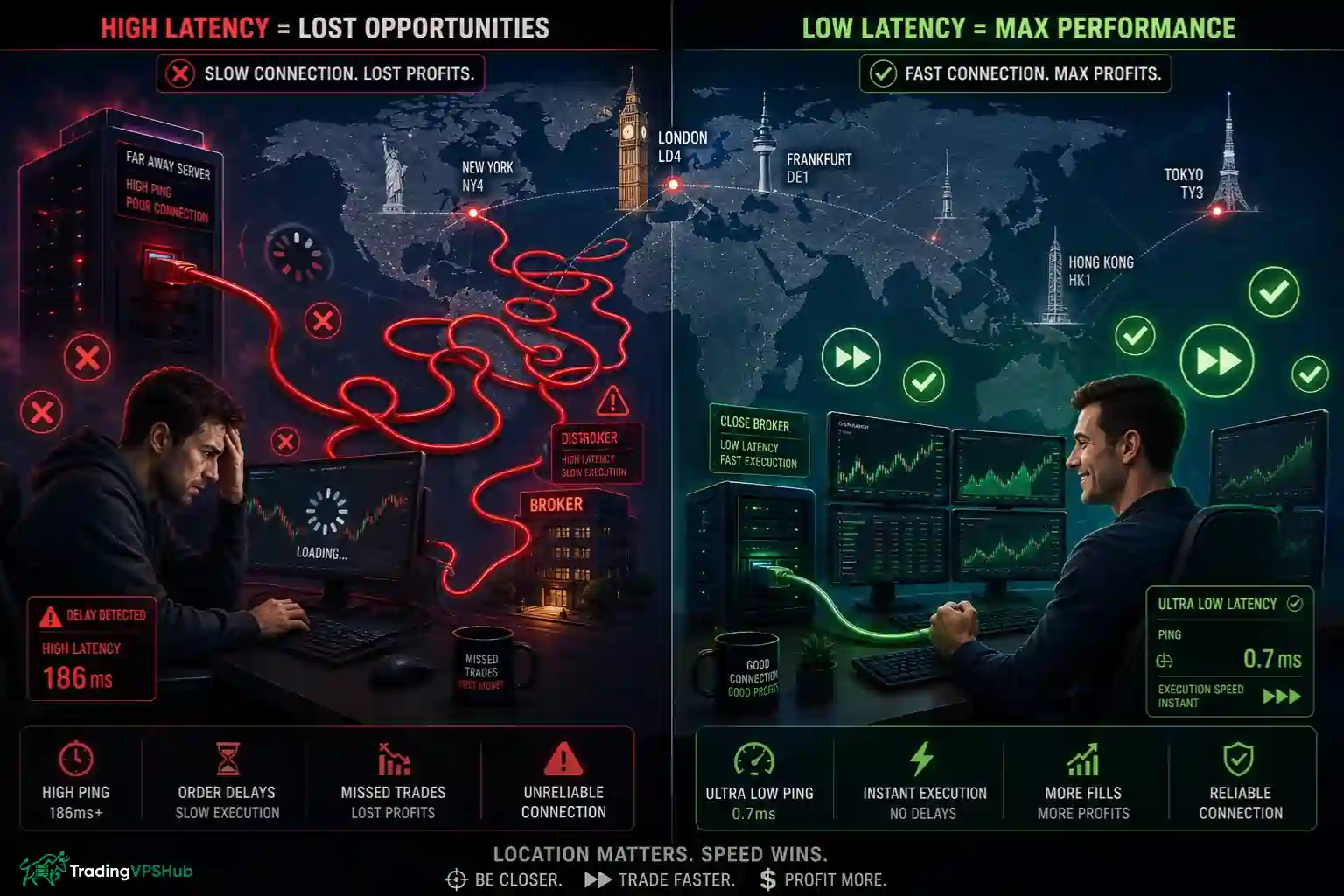
A powerful VPS in a poor location can still give bad execution delay. A modest VPS near your broker can feel faster for order flow.
Traders can choose a virtual server closest to a broker to cut network latency when sending orders. That is why VPS locations such as LD4, NY4, TY3, SG1, Frankfurt, and Chicago matter for many forex, CFD, futures, and crypto traders.
Here is a plain matching idea:
Ask your broker support for server location if unsure. Some platforms also show ping inside platform settings or server selection screens.
A trader should test actual broker ping after setup. Marketing claims may use best-case routes, while your account may connect to a different trade server.
Security Settings Traders Should Not Ignore
A Forex VPS can hold live platform access, broker credentials, EA files, and trade copier details. That makes basic security important.
Strong passwords are not enough. Security guides for trading VPS setups recommend locking down Remote Desktop, changing default RDP exposure, using account lockout rules, and adding two-factor login where possible.
A secure Forex VPS setup should include:
Some security guides also advise blocking risky clipboard or drive redirection, because infected local files can move from a personal PC into a VPS session. That matters for traders who download indicators, EAs, set files, or scripts from many places.
Keep trading tools clean. Use trusted EA sources, scan files, and avoid storing plain-text passwords on a server.
Who Needs A Forex VPS Most
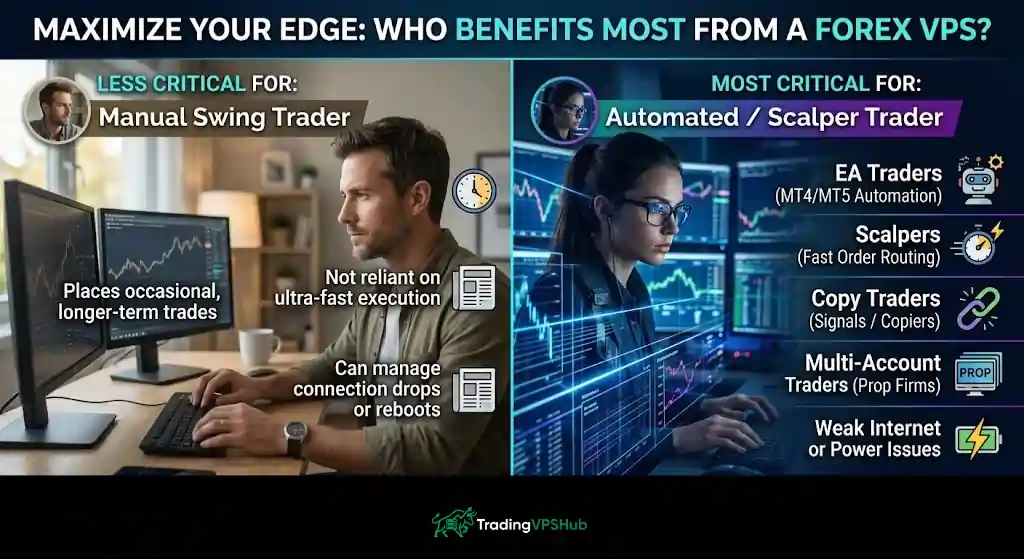
A VPS fits traders who need platform uptime more than casual chart viewing. If a strategy depends on always-on execution, a VPS becomes a practical tool, not a luxury.
A low latency trading VPS is most useful for:
A manual trader who places a few longer-term trades may not need one on day one. Still, if outages, freezes, or missed exits have already cost money, a VPS can remove a major source of stress.
TradingVPSHub’s view is simple: match VPS to trade style. A scalper needs broker-near latency, a copier needs uptime, an NT8 trader needs CPU and RAM, and a swing trader may need stable access more than ultra-low ping.
How To Set Up Forex VPS?
Start by finding your broker server area, then pick a VPS region close to it. MetaTrader’s own virtual hosting flow also centres on choosing a nearby server for lower latency.
Next, log in through Remote Desktop, install your platform, then restore charts, indicators, templates, EA files, and presets. Many Forex VPS plans support MT4, MT5, cTrader, NinjaTrader, TradeStation, and Interactive Brokers tools if resources allow.
A clean setup flow looks like this:
- Choose a VPS region near your broker server.
- Log in through Remote Desktop with secure credentials.
- Install MT4, MT5, or your chosen platform.
- Add broker server login, EAs, indicators, and templates.
- Test ping from platform to broker server.
- Watch CPU, RAM, disk use, and platform logs.
- Save backups before live automation begins.
Do not overload a small VPS with many terminals. AccuWeb notes that platform count depends on free RAM and vCPU resources, not a fixed magic number.
Test on demo first if using a new EA or new server. After that, start small on live and check logs before leaving automation alone.
FAQ Related to Forex VPS for Traders
What latency is good for scalping EAs?
For scalping EAs, lower ping is better because orders reach broker servers faster. Many traders aim for single-digit milliseconds when VPS location matches broker infrastructure.
Can one VPS host many MT4 terminals?
Yes, if CPU and RAM have enough free headroom. Terminal count depends on charts, indicators, EAs, symbols, logs, and platform load, not only VPS plan name.
Does MT5 need stronger VPS resources?
MT5 can need stronger CPU and RAM than MT4 because it handles more tasks and supports multi-core processing better, especially with many charts or strategies.
Is MetaTrader's built-in VPS different?
MetaTrader virtual hosting is linked inside MT4 or MT5 and focuses on robots, signals, low broker delay, and round-the-clock platform activity.
Can Forex VPS reduce slippage fully?
No VPS can remove all slippage because broker execution, liquidity, volatility, and order type still matter. It can reduce delay from trader platform to broker.
Should traders use Windows or Linux VPS?
Most MT4 and MT5 traders choose Windows because retail MetaTrader workflows fit Windows best. Linux suits advanced users with custom tools or special setups.
How should RDP access be protected?
Use strong passwords, Network Level Authentication, IP restrictions, account lockout rules, and two-factor login where possible. RDP exposure needs careful control on trading servers.
Final Trader Take
A Forex VPS is a remote trading computer built to keep your forex trading platform active, closer to broker servers, and safer from local outages.
It suits traders who use automation, scalping, copy trading, multi-account setups, or any strategy where downtime hurts.
Use it with clear expectations. It improves tech quality. It does not replace risk control, broker selection, or strategy testing.
For serious traders, VPS choice should be based on broker location, latency stability, Windows performance, security, and support.
That is how TradingVPSHub would judge it.
Not by hype, but by fills, logs, uptime, and real trading use.